
Creating a D&D Map
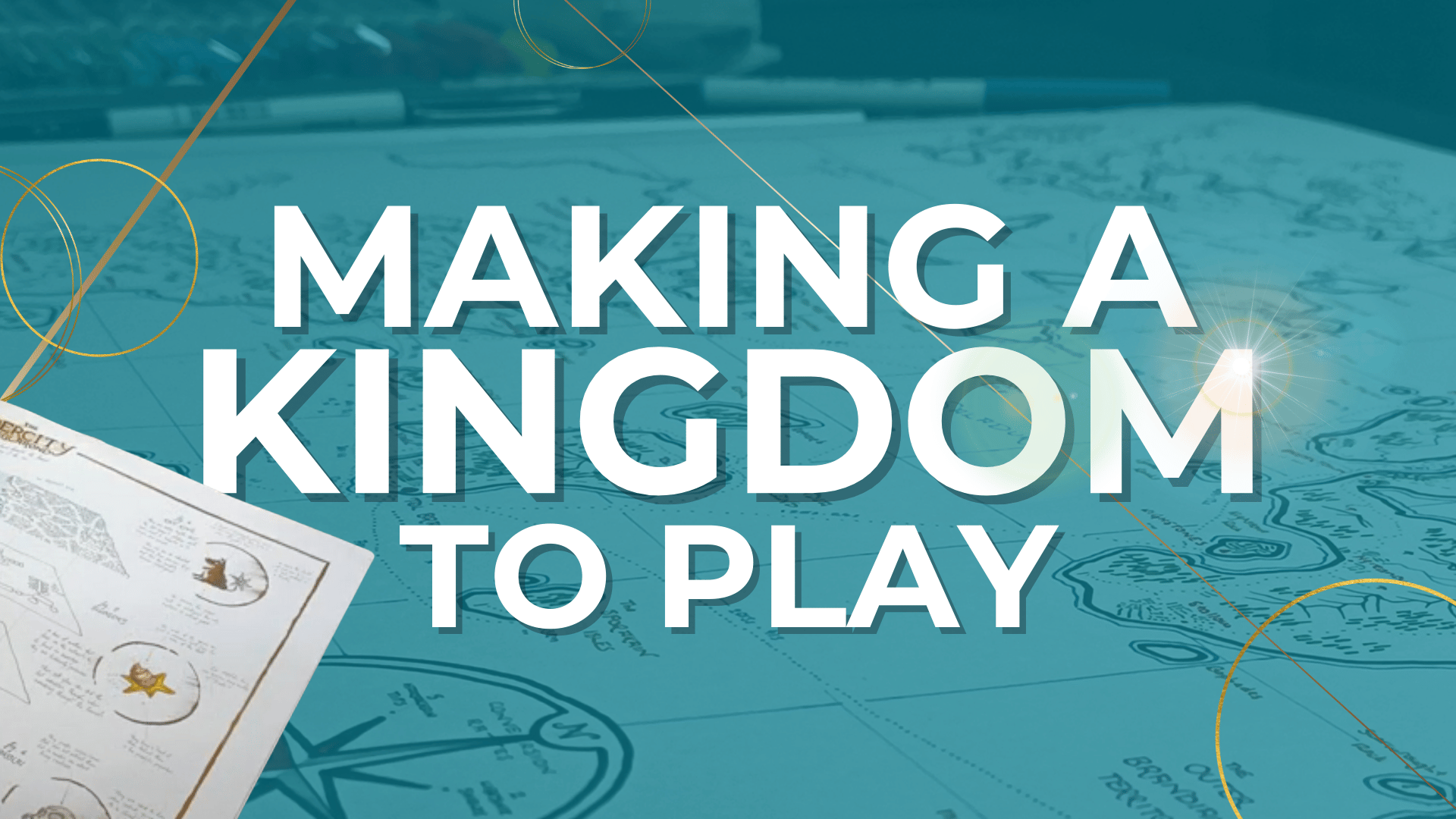
You have only just started on your fantasy journey: perhaps this is the first page of a new novel, or the crinkled parchment handed to you as you set out over the wild hills and dales. On its surface, scrawled in a spidery hand, are the secrets and civilisations of your fantastical world, all there for the exploration. Let's get to creating a D&D map.
Hello, adventurers, and welcome to the Red Quill’s latest series: the Red Quill’s Guide to World Design. In previous series, we’ve explored the specific styles of maps that you can create and use for your fantasy campaign, but not since our very beginning have we really gone into the basic steps. Now, with better quality, better techniques, and a better camera, we come back to help you to understand the mapmaker's art and recreate what I am doing here.
I am Ryan of the Red Quills, and I will be your guide. I am going to be taking you through the steps here, and answering common questions as I go, but I am always willing to delve into the comments if you have anything further that you’d like me to explore.
As we go through creating a D&D map, I'll use snapshots from the accompanying video, which you can check out here: Creating a D&D Map
To take a look at the full map as a downloadable file, you can find it here: The Kingdom of Endon


_______________________________________________________________________
How to Draw your Map
I’m working with a single piece of 180gsm A2 white paper, using 2B pencils for the initial sketch, I use fineliners in a variety of colours and sizes for the inking process, and finally I’ll be making a partial scan on my home printer and rendering the full file digitally for later use and printing in smaller sizes.
So first, let’s start by discussing your tools.
Tools You Need to Hand-Draw a Map
Before we start on our cartographic journey, gather your tools. I'm going to go through this video and give a mix of basic tips and more advanced worldbuilding insights, so here's the chance to make sure that you're working with materials that are actually going to get the job done. Here’s a breakdown of the essential tools you’ll need and how to use them effectively in different stages of mapmaking:
- Paper: A good quality sketchbook or loose sheets of heavyweight paper.
The paper you choose should handle both pencil sketches and ink without smudging or bleeding. Heavyweight paper is durable and can support detailed work. The size of paper depends on your project. A4 or A3 sizes are commonly used for their balance between detail and manageability. For more intricate maps, larger sizes like A2 might be preferable.
I generally use A2 for all of my YouTube works - and generally for my realm maps and site-specific maps in my own fantasy worlds as well. You can generally shrink down or size up a map to the size below or above. For instance, an A2 map will look pretty good when printed in A3, or A1. But shrinking it down to A4 may present some problems. Keep that in mind for the future.
- Pencils: Various grades (HB, 2B, 4B) for different line qualities.
Use an HB pencil for initial light sketches. It has a harder lead hat produces finer lines that are easier to erase. If you want to use your pencils for shading your topography or making line art in the borders - like I do with watercolours in some of my other videos, you’ll want some darker, more defined lines. For that, use softer pencils like 2B or 4B.
Different grades offer varying levels of hardness and darkness, allowing for more control over your sketches. Harder pencils (H) create lighter lines, ideal for initial sketches, while softer pencils (B) provide darker, thicker lines for details.
- Erasers: Kneaded and rubber erasers for precision.
Kneaded Erasers are pliable and can be shaped to erase small details without disturbing surrounding lines, but my guess is that if you’re new to mapmaking - or art in general - you’re going to use a rubber eraser, such as the one that I use. They’re firmer, more defined, and are ideal for erasing larger areas and creating clean edges.
Use a gentle touch and a clean eraser. Hold the paper steady to prevent movement and always erase in a single direction rather than back and forth. That will avoid smudging. As always, take your time and don’t rush.
- Pens: Fine liners for inking your map.
I always ink my maps - pencil is always a great medium to use, and the eyes can pick up the lines easily, but a photoscanner won’t. Unfortunately, if you work in pencil a great deal, you’ll find that when you come to scan you work it won’t stand out very well. If you want digital versions, you will need to work in ink.
I use fineliners in this - and if you’re like me, and learned to draw and sketch with pencils, you will want to grab yourself several sizes of fineliner so that you can get the same kind of varying line thickness to give some depth to your map.
I use thicker fineliners for the coastlines and map border - these are 0.6mm Artliners - and a slightly thinner kind for the mountain lines and symbols, in 0.4mm and 0.3mm. I always have even thinner varieties in 0.1, 0.05 and 0.03mm for much more detailed sketchwork, but these aren’t necessary unless you aim to do very fine work.
Inking defines the lines, making the map clearer and more professional. It also preserves your work, as ink is more durable than pencil. Its worth noting that coloured inks will have different fading patterns. Inks in colours like yellow or brown may fade faster than blue inks.
- Ruler: For straight lines and measuring distances.
Look, I don’t use a ruler as much as I really should. I have a penchant for rough edges and a sketched feel to maps that mean that I use rulers when doing to sketch, to keep me roughly in the correct area, and then just feel my way through it.
But I would recommend that you use a ruler. The same goes for tools such as compasses and protractors, to help you to ensure that any curved or angled lines are accurate.
By the way, if you think that this resource is coming in useful to you, check out our page, in which we have dozens of other videos on more specific maps and charts. Additionally, you can become a member of the Red Quills on YouTube or Patreon for access to our mapmaking Discord, exclusive Q&A sessions, topic boards, and high-quality copies of the maps that I make for these videos.
This video is part of a six-part series in which we’ll be exploring the basics that you will need in order to create maps that you will be proud of and that you can use to the best effect in your own fantasy worlds - whether they are written, played, or told. Additionally, we’ll be following allowing with the Lore Archive series, in which we will be exploring some lore made specifically about these settings. We’ll discuss our methods of lore building in a later video, so hit that subscribe button to learn more.

Drawing Your Map: A Step-by-Step Process
Alright, you’ve thought it through, you’ve even got a rough sketch completed. Now you can put pen to paper and start to fill in the blank edges of that map. Remember that a good map is a work of art. The best ones are as nice to look at as they are useful, and that takes composition and patience. My maps generally take me about three or four hours to complete, not including the initial sketch. If you want to draw a better map, you need to accept that it will take more time.
So, here are the general order of steps that I take when I’m making my maps:
Step 1: Sketch
Simple enough. You sketch out, in pencil, the outline of the coasts, the mountains, the major points and the rivers. These are the main details that you will need later on. Obviously, if you’re making this up as you go along, then you don’t need to spend extra time checking and re-checking the distances and the relative scale.
But even if you’re making it up as you go along, you will want to sketch it out first. It will mean you make fewer mistakes, you can change things early if the map looks crowded or lopsided, and its imperative for the third step.
Step 2: Coastlines and Mountains
They are number one on the priority list for a reason. They don’t change their location, they cannot be altered (by mortal means), and they present the largest waypoints and obstacles for any traveller. Everything on your map will be placed in relative position to these points.
I use a thicker black fineliner (generally about 0.7mm) for my coasts and a thinner black fineliner (0.4mm) for my mountains, which have more detailing. Once you have the general shape of them, you can move on to the next step. The detailing will come later.
Step 3: Labels
From my own experience, please: label before you start filling your map. If you fill first, or if you fill and label at the same time as you go, you’ll find that your labels will get crowded or illegible very quickly. Do your labelling before you move on, making sure you do the most important labels (capital cities, kingdom names, etc) first.
You’ll thank me later.
Step 4: Now you can fill in the content
I’ll let you do this to your own style: every mapmaker is different for a reason. But I tend to draw things in the order of priority above, to ensure that the map does not get overcrowded.
This is the point at which you can also draw illustrations, if that is something that you want to do. But a quick word of personal advice: I wouldn't make any illustration larger than one hundredth of the map as a whole. If it is any larger, it will suck attention towards it and away from the rest of the map. Subtlety is a virtue.
Step 5: Legend and scale
Don’t forget these two! Very important. Generally, you should add them in your sketch, but sometimes you have a lot to cover. There are a number of ways to add these in – in a dedicated corner, around the border of the map, built into an illustration. It’s entirely up to you which you choose.

How to Place Your Content
Creating a believable and functional fantasy map involves more than just artistic skill; it requires thoughtful consideration of geography and world-building logic. Here’s how to determine where to place your geographical features to create a map that’s both visually appealing and realistic.
Step 1: Understand the Basics of Geography
Before you start drawing, it’s crucial to understand some fundamental geographical principles. This knowledge will help you create a map that feels natural and immersive.
- Plate Tectonics: Mountains often form along tectonic plate boundaries. While you don’t need to delve deeply into geology, having a basic understanding of how mountains, valleys, and rift zones form will help you to create a world that makes sense to the viewer.
- Water Flow: Rivers flow from higher elevations (mountains or hills) to lower elevations (seas or oceans). They tend to meander and can create fertile valleys, which are prime locations for settlements. The straighter a river, the steeper its course. Rivers on flat ground will wander.
- Climate Zones: Climate can affect the geography significantly. Deserts often lie in rain shadows of mountain ranges, while forests and grasslands might spread in areas with adequate rainfall.
Step 2: Placement of Major Landforms
Start by placing the major geographical features that will define the overall layout of your world.
- Mountains: These are usually placed first as they are significant landforms. Decide where your mountain ranges will be, considering how they might affect the climate and river systems. Mountains can act as natural borders between regions or nations.
- Rivers and Lakes: After placing mountains, sketch out your river systems. Remember, rivers flow downhill, so start from the mountains and work your way towards the ocean or a lake. Rivers often serve as crucial transportation routes and sources of water, making them natural locations for cities and towns.
- Coastlines: Define the edges of your landmasses. Coastlines can be rugged with cliffs or smooth with sandy beaches, depending on the geography. Bays and peninsulas can add interesting details to your coastlines.
- Forests, Deserts, and Other Biomes: Place forests near rivers or in areas with ample rainfall. Deserts typically form on the leeward side of mountain ranges or in areas far from water sources. Consider how these biomes interact and transition naturally.
Step 3: Scatter Points of Civilization
With the geography laid out, the next step is to place settlements, roads, and other points of civilization. These should be logically placed based on the geographical features you’ve created.
- Cities and Towns: Major cities often develop near water sources like rivers, lakes, or coastlines. Consider trade routes, natural resources, and defensive positions when placing cities. Smaller towns and villages can be scattered around these major hubs, often along rivers or roads.
- Roads: Roads connect important settlements and follow the easiest paths. They often run alongside rivers or through valleys, avoiding rough terrain when possible. Trade routes between cities can also influence road placement.
- Monuments and Ruins: These can add historical depth to your world. Place ancient ruins in remote locations or near old trade routes. Monuments might be found in major cities or at significant historical sites.
- Taverns and Inns: These are usually located along main roads or near crossroads, providing rest stops for travellers and merchants. Small villages or isolated inns can add character to your map.
Step 4: Add Natural Features and Details
Once the major features and settlements are in place, add smaller natural features to enhance the realism and detail of your map.
- Hills and Valleys: These smaller landforms can break up large flat areas and add depth. Hills might dot the landscape near mountains or in rolling plains.
- Islands and Archipelagos: Add interest to your coastlines by including islands. These can be the remnants of ancient volcanoes or the peaks of submerged mountain ranges.
- Swamps and Marshlands: Often found near large bodies of water or in low-lying areas, these can add an element of danger or mystery to your world.
By following these steps and considering the logical placement of geographical features, you’ll create a map that not only looks great but also enhances the storytelling and gameplay of your fantasy world. Now, with your geographical content thoughtfully placed, let’s move on to the finer details and points of civilization.

How to Tie It Together
Alright, we’ve gone over some of the concepts that you can use to create a kingdom, let’s put them into practice. As we’ve gone through this video so far, I’ve been creating this map of the Kingdom of Endon - it’s the setting for my current Dungeons and Dragons campaign. It’s got a lot of lore and history, so it’s a great opportunity to create a map that showcases some of these ideals.
You can see that as I’ve gone through, I’ve followed the major steps that I outlined earlier: sketching first, I’ve made a clearly defined focus for the map: the Kingdom is bounded by the sea to the north and the mountains to the west, east, and south. It’s a clear delineation, and should stop players from getting too lost. I then went through and made sure I had the coastlines and the mountains done before I began to label.
This map is a large one - I’m working on A2 here - which gives me the opportunity to add in a lot of detail. So I’ve started with labelling the small things first and then moving larger. Towns and cities, then areas like forests, valleys, and then onto the duchies. Then I move onto the time consuming parts. Symbols, and then terrain.
All of which follows the same formula that I talked about before. But you can see how I’ve used these elements to create an interesting and varied realm without going over the top. There is a mix of different terrains - a large marshland in the centre, a number of forests, some farmland, some plains, and the mountains and seas. The placement of the towns and roads really implies which parts of the Kingdom are tamed and which are wilderness.
I’ve created some symbols specifically for this map - and I’ll talk about symbols more in the next video - to add some intrigue. What are the Towers, and why do they have such weird little symbols?
The important thing in any map is to imply, rather than state. Show, but don’t explain. That will give you as the mapmaker and the game master and the writer more opportunity to improvise or shoehorn concepts in later on.
We’re nearly done now, but I’ll probably continue to fiddle and work on this map for a few weeks to come. There are always more details to add, and there’s nothing like a map that’s had notes added to it to kickstart the intrigue.

________________________________________________________________________
As we reach the end of "Creating a D&D Map", I hope you feel inspired and equipped to embark on your own mapmaking journey. We've covered the essential tools you'll need, the initial steps in crafting your map, and what to expect as you delve into this intricate art form. Remember, each map you create is a unique piece of your imagination brought to life, and the process itself is a rewarding adventure.
If you enjoyed this video and found it helpful, please give it a like and consider subscribing to our channel. By subscribing, you'll be notified whenever we release new content, ensuring you never miss an update. Also, don’t forget to check out our page for other videos on specific map styles and techniques. As a member of the Red Quills, you'll gain access to exclusive Q&A sessions, topic boards, and high-quality copies of the maps created in these videos.
Stay tuned for our next video, where we’ll look at Creating a Worldbuild: looking at making trade, culture, and politics within your maps and your worlds, looking at the symbols and labels that you can use to denote them, and more!
Thank you for joining me on this journey. Your support and engagement are what make this channel possible, and I’m excited to see the incredible maps you create. Until next time, happy mapmaking!